

All trades
PDF plan measurement app: the complete 2026 guide
A PDF plan measurement app lets you measure surfaces, lengths and count items right on the plan — no printing. Step-by-step method, alternatives, pricing.
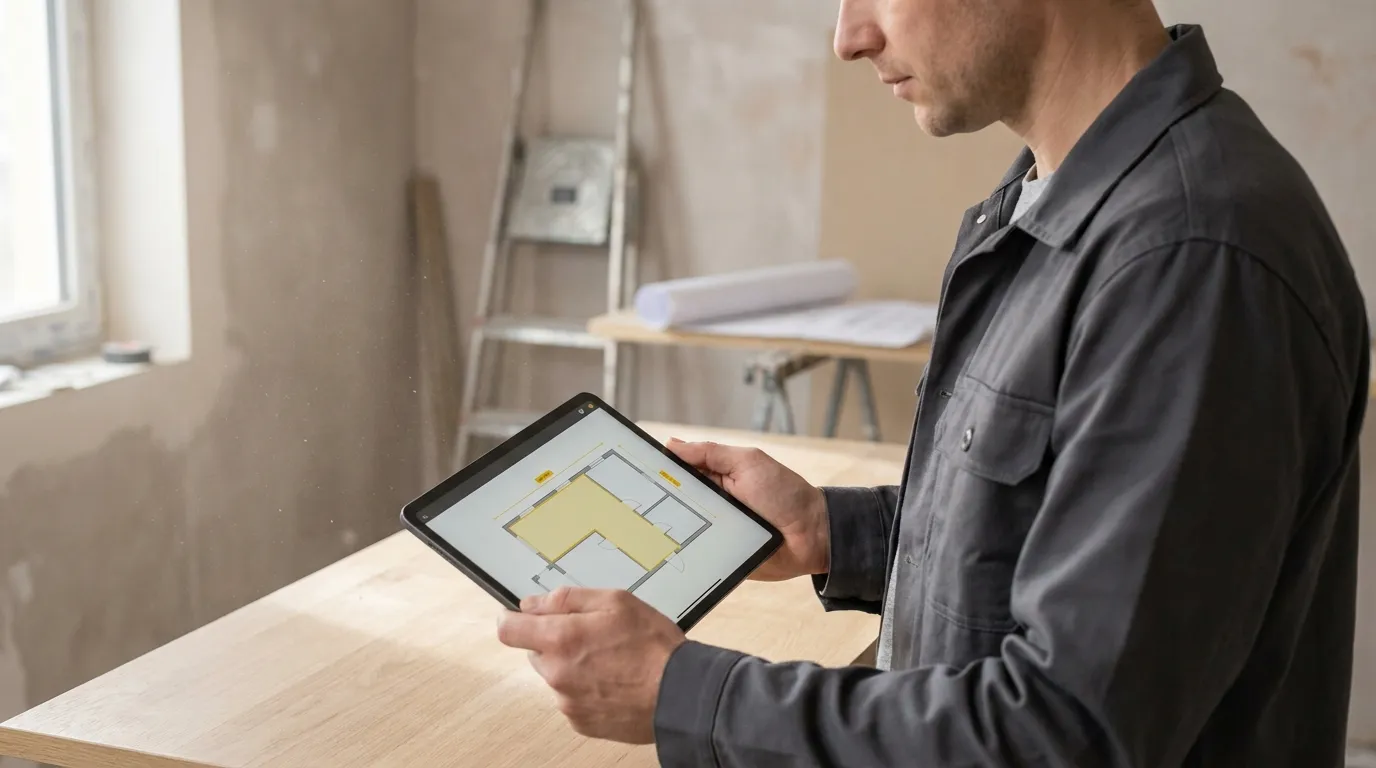
You receive a PDF plan by email and you need to price a project — area to paint, linear metres of skirting, number of electrical outlets. Print the plan, grab the ruler, retype the numbers into Excel: that’s two hours of work and roughly three errors per quote. The good news is that PDF plan measurement apps now let you do the whole job right in the browser, with nothing to install, in about ten minutes. Here is how it works, what changes in practice, and which solution to pick depending on your trade.
Why measure directly on the PDF, without printing
The first reflex when you receive a plan is to print it to “handle” it. It’s also the reflex that costs the most. Printing an A0 sheet at scale requires a large-format printer you probably don’t have in the office; printing on A3 or A4 forces you to recalculate the scale, and the errors stack up.
A PDF measurement tool removes that detour. The PDF opens as-is in the browser, you calibrate once on a known dimension, and every measurement displays in real metres or square metres. No risk of scale error, no retyping, no paper lost under the pile of quotes.
In practice, four things change in a construction professional’s day:
- Quoting time divided by six to ten. Where a bathroom + kitchen + living room used to take 1.5 hours on a spreadsheet, you now do it in 10 to 15 minutes with the browser open.
- The annotated plan attached to the quote. The client sees exactly what is included. Disputes (“I thought the laundry was part of it”) disappear.
- An exportable summary to your quoting software, with no manual retyping. The numbers come out in CSV or PDF ready to paste.
- Work from anywhere. Tablet on site, computer at the office, phone in the car between appointments — the plan stays in sync.
The 4 steps of a PDF plan takeoff with Surplan
The Surplan PDF plan measurement app runs entirely in the browser — nothing to download, nothing to install, works on Mac, PC, iPad or Android tablet. Here is the typical workflow on a real residential plan.
1. Import the PDF plan into the browser
Drop the PDF onto the import area, or open it from Dropbox / Google Drive. Surplan instantly displays the first page at the document’s native resolution. Single-page plans and 80-page bid sets are handled the same — a page selector at the top lets you navigate.
Practical bonus: the PDF stays encrypted, hosted in the EU, and you can invite a colleague to edit the plan in real time. On projects with several trades involved, that’s a game-changer.
2. Calibrate the scale in 30 seconds
This is the step that makes everything else reliable. On any architect’s plan you have a known dimension: a standard door (0.83 m), a noted room width (“4.20 m”), or the scale shown in the title block (1:100, 1:50).
Click the Calibrate tool, draw a line between two points whose real distance you know, type the value (e.g. 4.20 metres). Done. All measurements in the document will now be converted into real metres, square metres and linear metres. Calibration applies to the whole document — no need to redo it page by page.
3. Pick the right measurement tool
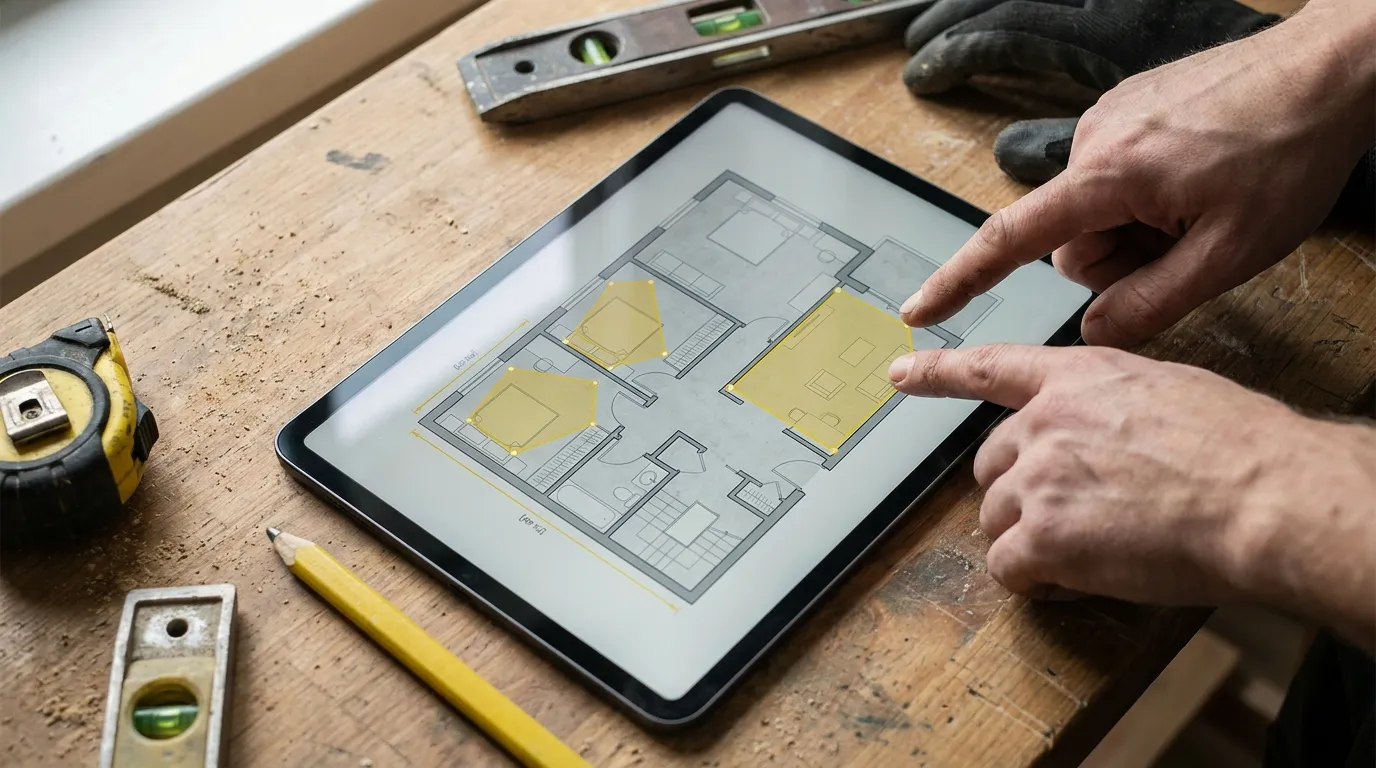
Surplan offers three tool families that cover 95% of trade needs:
- Surface (polygon, rectangle or circle) — for floors, walls, ceilings, paint or tile surfaces, insulation. The app shows the surface in m² as you draw. Bézier handles let you follow curved walls (rare on this market — most competitors limit you to straight polygons).
- Length (distance or polyline) — for skirting boards, listels, gutters, pipes, electrical runs, suspended ceilings. Live readout in linear metres.
- Counting — for outlets, spots, lights, radiators, valves, weld points. One click = one item, with a counter at the top.
Every tracing remains editable afterwards: a misplaced point moves, a measurement copies, a whole layer hides to compare two variants.
4. Export the takeoff (annotated PDF + CSV summary)
Once the takeoff is done, two exports: an annotated PDF (the original plan with your surfaces and lengths coloured on top) to attach to the quote, and a CSV summary (every measurement listed by family, ready to paste into Excel or your quoting software).
The annotated PDF changes the image your business projects: the client receives a clean, transparent dossier they can verify line by line.
One method per trade
The workflow above is the same for all trades, but the measurements used vary by craft. Surplan publishes a dedicated guide per trade — each one details the relevant measurements, the classic pitfalls and a fully-worked example:
- Painter: wall and ceiling surfaces, opening deductions, paint volume calculation. → Takeoff software for painters
- Tile setter: floor and wall surfaces, skirting length, singular points (drains, traps). → Takeoff software for tile setters
- Electrician: counting outlets, light points, distribution boards, cable runs. → Takeoff software for electricians
- Plumber: supply and waste line lengths, water point counts, wet room surfaces. → Takeoff software for plumbers
- Plasterer: partition surfaces, doublings, ceilings, drywall takeoff. → Takeoff software for plasterers
- Roofer: roof surfaces, ridge and valley lengths, roof window counts. → Takeoff software for roofers
- Carpenter: opening counts, skirting and moulding lengths, parquet surfaces. → Takeoff software for carpenters
- Landscaper: lawn surfaces, terraces, plantings, tree counts. → Takeoff software for landscapers
Web app or desktop software?
The plan measurement app market has split into two schools over the past few years: legacy desktop software (installable) and modern web apps (browser-based).
| Desktop software | Web app (Surplan) | |
|---|---|---|
| Install | Per-machine install | None — just a link |
| Updates | Manual, sometimes paid | Automatic |
| Tablet / iPad work | Impossible or via emulation | Native |
| Team collaboration | Local file to email around | Real-time collaborative editing |
| Entry price | Often £500 to £1,500 + maintenance | €19/month, 7-day free trial |
| Data | On your machine (back it up) | Encrypted EU hosting |
The choice isn’t really technical anymore — it’s strategic. If you work solo, sometimes from site, and you want to start without dropping €1,500, a web-based PDF measurement app is the right call. If you run a design studio with 15 stations and full network infrastructure, a desktop tool still makes sense.

Alternatives worth knowing
For an honest comparison, here are the other solutions on the market. None are bad — each fits a different use case.
- Adobe Acrobat Pro has a basic measurement tool since its Pro release. Free if you already have the licence (~£18/month), but the tool stays rudimentary: no layers, no summary, no structured export. To enable measurement tools in Acrobat, open Preferences → Measuring.
- Bluebeam Revu is the US reference among architects and consulting engineers — very complete, in English, ~$349/year, desktop only.
- PlanSwift and On-Screen Takeoff are US construction-industry workhorses on the desktop, very feature-rich but priced for enterprises (often $1,000+/year).
For a wider panorama, Capterra publishes a Bluebeam Revu vs Adobe Acrobat comparison that’s useful for positioning each tool.
Frequently asked questions
How do I measure a PDF plan without printing?
Open the PDF in a takeoff app like Surplan, calibrate the scale against a known dimension (a 0.83 m door or an annotated dimension), then use the surface, length or count tools. No CAD import, no printing.
How accurate is a PDF plan takeoff?
With a proper calibration on a clear dimension over 2 metres, accuracy reaches 0.5 to 1% on surfaces — well above paper takeoff, in line with construction-industry quoting practice. For tight install dimensions, a field check stays essential.
Does a web app work on a tablet?
Yes. Surplan was built to run as well on desktop as on iPad, Surface or Android tablets. Useful for verifying a dimension live on site or re-measuring after a visit.
Do I need a dedicated app or is Acrobat enough?
Adobe Acrobat Pro can do a single distance or surface measurement but has no structured summary, no per-trade layers and no export to quoting software. A dedicated takeoff tool becomes essential past 3-4 measurements per plan.
How much does a PDF measurement app cost?
The market spans from free (basic measures in Acrobat Pro) to thousands of euros per year for full desktop suites. Web apps like Surplan sit in the middle: €19/month Solo, no commitment, 7-day free trial without a credit card. See full pricing.
Can multiple people work on the same plan?
Yes — that’s a key advantage of modern web apps. On Surplan, multiple team members can open the plan at once and see each other’s measurements in real time — perfect when the metreur prepares, the project manager checks and the sales rep prices.
Where to start
If you’ve never used a PDF plan measurement app, the easiest is to try it on one of your live plans. You’ll see the time saving immediately, and you’ll know if the tool fits your way of working.
The Surplan free trial runs 7 days, no credit card, and unlocks every feature (unlimited measurements, unlimited plans, annotated PDF + CSV exports, collaboration). If you want to dig into a real case, the trade-specific guide shows how to price a typical project in 10-15 minutes.
Moving from paper takeoff to a web app saves on average 1.5 hours per project quoted. Over 5 quotes a week that’s 30 hours a month you can spend on something other than recounting dimensions with a pencil.